Record computer actions in real-time
Mini Mouse Macro, as its title suggests, is a free mouse and keyboard utility that allows you to actively record your mouse movements, clicks, and keys—a feature rare to find in most macro recorders existing in the market nowadays. This will no longer require you to enter the X and Y position of your mouse and fill in the action you wish to carry out.
Top Recommended Alternative

Instead, it will record every computer activity in real-time. Mini Mouse Macro is the best alternative to Macro Recorder, Mouse Recorder, and Easy Macro Recorder.
Automate desktop activities
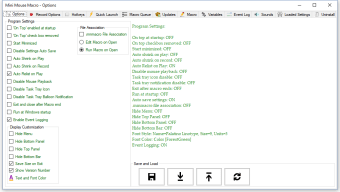
Mini Mouse Macro offers an extremely intuitive user interface as well as a feature set catering to all level types of technical experience from low to high. It is a portable software that doesn't require installation anymore, you can immediately launch the executable file by clicking on it. You can even store it on a USB flash drive so, you can bring and utilize it even on the go.
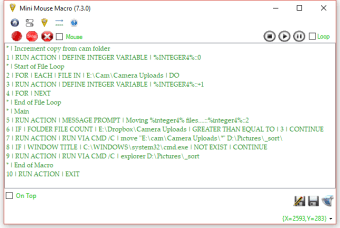
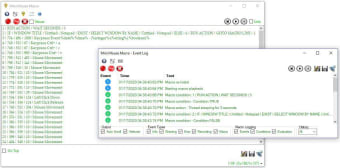
When not in use, the application will sit quietly on your system tray making it unobtrusive. Whenever in use, on the other hand, it will stay on top of other windows by default. From then, all of your mouse clicks and keystrokes will be monitored and listed in the mainframe. In this area, you can oversee their coordinates, time, and exact action.
To start the recording session, just click on the red button. Playback control options are noticeably seen on the mainframe. During playback, you can efficiently track mouse movements and show the animation. To play the recorded macro activities, just enable the loop mode. You can also add a custom entry to the list by specifying the position, time, and action. Remember, the second you intervene, the playback will exit.
Excellent macro recorder
Mini Mouse Macro is a great mouse and keyboard actions recorder that is considered to be one-of-a-kind for its real-time recording capability. It is most recommended for beginners mainly because of its straightforward interface that makes the record process so seamless and effortless to operate. This suite tool will save you tons of time and effort especially for repetitive tasks.













.png)

.png)